

Published: 6 October 2026
Updated: 6 October 2026
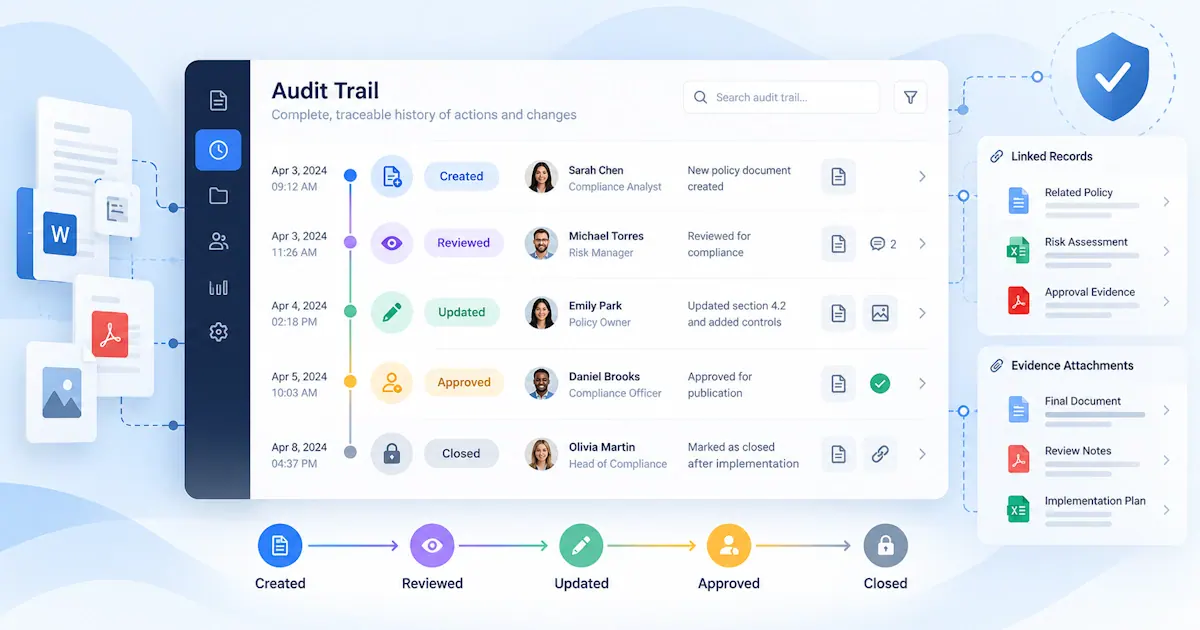
An audit trail provides a clear record of what happened during an audit, what issues were identified, what actions were taken and how those actions were eventually closed.
For organisations carrying out regular audits, inspections or compliance reviews, maintaining this history is important for more than simply keeping records.
A good audit trail allows someone reviewing an audit months or even years later to understand:
- what was checked
- what was identified
- who was responsible for responding
- what corrective action was taken
- what evidence was provided
- who reviewed the response
- why the non-conformance was accepted as closed
Without that history, an audit system may show the current status of an item without explaining how it reached that point.
What Is Audit Trail Management?
Audit trail management is the process of maintaining a chronological record of significant activity throughout an audit.
This can begin when the audit is planned and continue through the identification of non-conformances, assignment of corrective actions, submission of evidence, review and final closure.
The audit trail should make it possible to reconstruct the important decisions and changes that occurred during the process.
This is particularly useful where audits involve several people, multiple sites or actions that remain open for an extended period.
Why Is an Audit Trail Important?
An audit report provides a snapshot of what was identified at a particular point in time.
The audit trail provides the history of what happened afterwards.
That distinction matters.
For example, an audit might identify a non-conformance in January and assign a corrective action with a completion date in February.
By April, the item may simply show as closed.
Without an audit trail, it may be difficult to establish:
- whether the original deadline was met
- whether the deadline was extended
- who approved the extension
- what evidence was submitted
- whether that evidence was rejected initially
- who eventually approved closure
A well-maintained audit trail preserves that information.
What Should an Audit Trail Record?
The exact information required will depend on the organisation and the type of audit being carried out.
However, there are several areas where maintaining a clear history is particularly useful.
Audit Details
The audit record should establish the basic context for the audit.
This might include:
- audit title
- audit type
- site or business unit
- audit date
- auditor or audit team
- scope
- applicable standard or procedure
- people or departments involved
This information provides the foundation for everything recorded afterwards.
Checklist and Audit Responses
Where an audit uses a checklist, the completed responses form an important part of the audit record.
Depending on the process, this may include:
- questions asked
- responses provided
- comments from the auditor
- supporting documents
- photographs
- scores or classifications
- items marked not applicable
Where a response is subsequently changed, it can also be useful to retain a record of what was changed and by whom.
Recording Non-Conformances
When an audit identifies a non-conformance, the audit trail should preserve the original record rather than simply showing its current status.
Many organisations refer to these issues as audit findings. In Pisys Audits they are managed as non-conformances.
A non-conformance record should normally establish:
- what was identified
- where it was identified
- the requirement that was not met
- supporting evidence
- the date it was raised
- who raised it
- its classification
Pisys Audits allows non-conformances to be categorised as Critical, Major or Minor.
Maintaining the original classification in the audit history can be important, particularly if the classification is later changed.
Recording Changes to Critical, Major and Minor Classifications
The severity assigned to a non-conformance can influence how urgently it is handled and who becomes involved.
If the classification changes during the process, the audit trail should ideally show:
- the original classification
- the new classification
- when the change occurred
- who made or approved the change
- the reason for the change
Simply replacing "Major" with "Minor", for example, removes potentially important context.
A historical record allows reviewers to understand how the assessment developed.
Corrective Action Assignment
Once a non-conformance generates a corrective action, the audit trail should record who has responsibility for carrying it out.
Useful information includes:
- the corrective action
- the action owner
- the date the action was assigned
- the target completion date
- the non-conformance to which it relates
Where one non-conformance generates several corrective actions, each action should remain connected to the original issue.
This helps prevent individual actions being completed while part of the original non-conformance remains unresolved.
Changes to Action Ownership
Corrective actions sometimes need to be reassigned.
People change roles, projects move between departments or responsibility may initially have been assigned incorrectly.
The audit trail should make it possible to see that history.
Rather than simply replacing one owner's name with another, useful records include:
- the original action owner
- the new action owner
- the date of reassignment
- who made the change
- the reason where relevant
This improves accountability and avoids uncertainty about who was responsible at different stages.
Changes to Due Dates
Due date changes are particularly important to record.
An overdue corrective action can easily be made to appear on time if its due date is simply replaced with a later date.
That does not necessarily mean that changing a due date is wrong.
There may be perfectly valid operational reasons for an extension.
The important point is that the history should remain visible.
A useful audit trail can show:
- the original due date
- the revised due date
- when the change was made
- who authorised it
- why the extension was required
This provides much more useful information than simply showing the latest deadline.
Comments and Communication
Important decisions about corrective actions are often made through email or informal conversations.
When this happens outside the audit management system, part of the audit history can become disconnected from the record.
Where practical, relevant comments and decisions should be retained alongside the audit item.
This may include:
- questions from the action owner
- clarification from the auditor
- requests for additional information
- reasons for delays
- review comments
- closure decisions
This makes it easier for another person to understand the history without searching through individual email accounts.
Evidence of Corrective Action
Evidence is a key part of the audit trail because it demonstrates what was actually done.
Depending on the corrective action, this could include:
- photographs
- revised procedures
- training records
- maintenance records
- inspection reports
- certificates
- test results
- screenshots
- completed forms
- formal approvals
The audit trail should ideally show not only the evidence itself but also when it was submitted and by whom.
For more complex actions, several versions of evidence may be submitted before closure is accepted.
Rejected Evidence Should Remain Part of the Record
Not every piece of evidence will be sufficient.
A reviewer may decide that an uploaded photograph, document or record does not adequately demonstrate closure.
Where this happens, the rejected evidence and the reason for rejection can form an important part of the audit trail.
For example, the record might show:
- evidence submitted
- review completed
- evidence rejected
- reason for rejection
- additional evidence requested
- replacement evidence submitted
- final approval
Removing unsuccessful submissions would lose part of the decision-making history.
Complete Is Not the Same as Closed
An audit trail should also make a clear distinction between an action being completed and a non-conformance being closed.
The action owner may have finished the work.
That does not automatically mean that the response is acceptable.
A reviewer may still need to establish that:
- the action has been completed as described
- appropriate evidence has been supplied
- the evidence is sufficient
- the original non-conformance has been addressed
Recording the completion stage separately from verification and final closure gives a much clearer history.
Verification and Approval
Where corrective actions require formal review, the audit trail should capture that process.
Useful information includes:
- who performed the review
- when the review took place
- whether the response was accepted or rejected
- review comments
- additional information requested
- who finally authorised closure
For more significant non-conformances, there may be several approval stages.
Recording each stage demonstrates how the closure decision was reached.
What Should Be Recorded When a Non-Conformance Is Closed?
At the point of closure, the audit record should provide enough information for a later reviewer to understand why the non-conformance was considered resolved.
The closure record may therefore include:
- the corrective action completed
- the evidence supporting completion
- the review or verification decision
- closure comments
- the person approving closure
- the closure date
This means that a "Closed" status is supported by a clear history rather than simply being the final value in a status field.
Why Spreadsheet Audit Trails Can Be Difficult to Maintain
A spreadsheet can record audit information effectively for relatively simple processes.
Problems tend to arise when an organisation needs to retain a detailed history of changes.
A spreadsheet may show:
- the current owner
- the current due date
- the current status
But it may not clearly show:
- previous owners
- previous deadlines
- when changes were made
- why information changed
- which evidence was rejected
- who authorised closure
Some of this information can be managed through additional columns, comments or document version history, but the process becomes increasingly difficult as audit activity grows.
Audit Trail Management Across Multiple Sites
Audit trail management becomes especially valuable where an organisation operates across several locations.
Without a common approach, individual sites may record audit information differently.
One site might retain comprehensive evidence and approval records while another records only the final action status.
A central audit management process can help establish consistent records for:
- audit activity
- non-conformance classification
- corrective action ownership
- deadline changes
- evidence
- verification
- closure
That consistency makes organisation-wide reporting and review significantly easier.
Using Audit Trail Data to Identify Problems
An audit trail is not only useful when somebody needs to investigate an individual action.
The accumulated history can also provide useful management information.
For example, organisations may be able to identify:
- actions that are repeatedly reassigned
- frequent deadline extensions
- areas where evidence is regularly rejected
- departments with high numbers of overdue actions
- repeat non-conformances
- Critical or Major non-conformances that remain open for long periods
These patterns may highlight weaknesses in the wider audit or corrective action process.
What Makes a Good Audit Trail?
A useful audit trail should be easy to understand without requiring detailed knowledge of the original audit.
Someone reviewing the record should be able to answer:
- what happened
- when it happened
- who was involved
- what changed
- why important changes were made
- what evidence was supplied
- who reviewed it
- why the item was eventually closed
The aim is not to record every insignificant interaction, but to retain enough information to demonstrate how the audit process and its resulting corrective actions were managed.
Audit Trail Management Software
Dedicated audit management software can maintain this history automatically as users work through the audit process.
Instead of relying on people to create a separate record of every change, the system can retain information such as:
- status changes
- ownership changes
- due date changes
- comments
- evidence uploads
- reviews
- approvals
- closure decisions
Pisys Audits brings audits, non-conformances, corrective actions and supporting evidence together within a controlled process.
This makes it easier to see not just the current position, but the history that led to it.
How Audit Trail Management Fits Into the Wider Audit Process
Audit trail management should not be treated as a separate administrative exercise.
It is created by properly managing each stage of the audit lifecycle.
That lifecycle may include:
- audit planning
- audit scheduling
- checklists
- audit activity
- non-conformances
- corrective actions
- evidence
- verification
- closure
Maintaining a clear history across these stages provides traceability from the original audit through to final close-out.
Frequently Asked Questions
What is an audit trail?
An audit trail is a chronological record of significant activity and changes during an audit process. It can show what happened, when it happened, who was involved and how corrective actions and non-conformances were eventually closed.
What should an audit trail include?
An audit trail may include audit details, non-conformances, action assignments, ownership changes, due date changes, comments, evidence submissions, reviews, approvals, status changes and closure decisions.
Why should changes to audit actions be recorded?
Recording changes makes it possible to understand the history of an action rather than seeing only its current state. This is particularly important for ownership changes, deadline extensions, evidence reviews and closure decisions.
Should rejected evidence remain in the audit trail?
Keeping rejected evidence and the associated review comments can provide useful context by showing what was initially submitted, why it was considered insufficient and what was subsequently provided.
What is the difference between an audit trail and an audit report?
An audit report records the results of an audit at a particular point in time. An audit trail records the subsequent history of activity, changes, corrective actions, evidence, verification and closure.
Can Excel maintain an audit trail?
Excel can be used to record audit information, particularly for simple processes. Maintaining a detailed history of ownership changes, deadline changes, evidence, reviews and approvals becomes more difficult as the number of audits and users increases.